
Divided land admin menu
The Admin Menu is available only on your own hosted servers. More details on hosting a Dedicated Server are on the official Discord. You can host your own Server/Game and have friends join as a Multiplayer game.
Update 0.3.9 added Local/Co-op Server option so a Single Player or Multiplayer game can be hosted more easily.
Config settings
This is where the latest server or save is created (replace the ~ with the actual UserName) and Server restart is need for the changes to take effect.
C:\Users\~\AppData\Local\DividedLand\Saved\Config\Windows
This where all the world’s/saves are located with each folder being the server name and each containing its own “Game” Configuration settings file.
C:\Users\~\AppData\Local\DividedLand\Saved\AllSaved
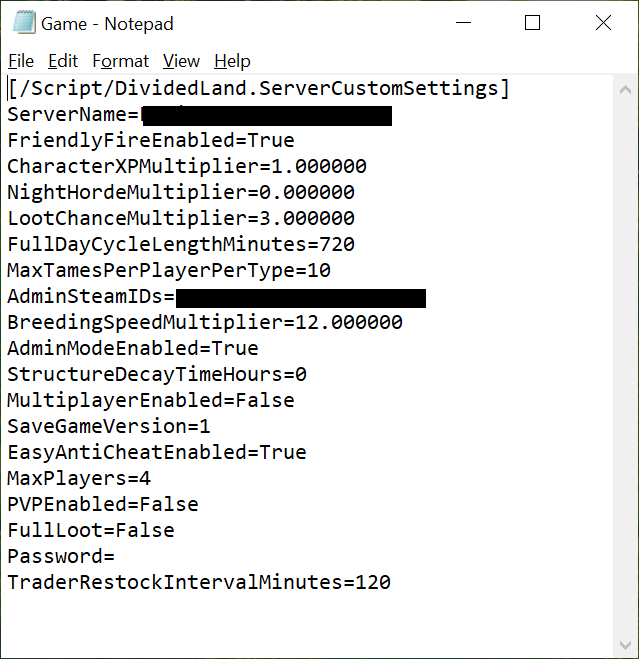
Game
Max amount of the multipliers is 12.0 (9.00= 900%) These have sliders on the main game settings screen.
PVP enables raiding and killing of other non Tribe players.
To add further Admins just add another line with their Steam ID.
When restarting the game, choose the Local file rather than the cloud save for the changes to take place.
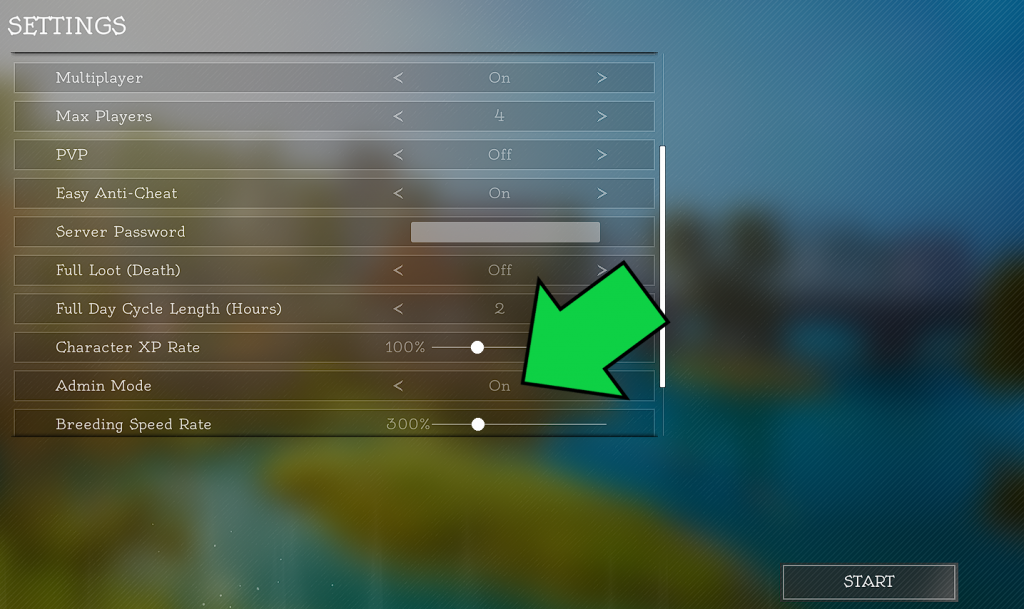
When creating a new Local/Co-op save, the Admin menu option must be selected (On) to access the F1 menu.
More information on Taming is here.
More information on Tutorials is here.
More information on Horde Night is here.
To bring up the Admin menu, Press F1
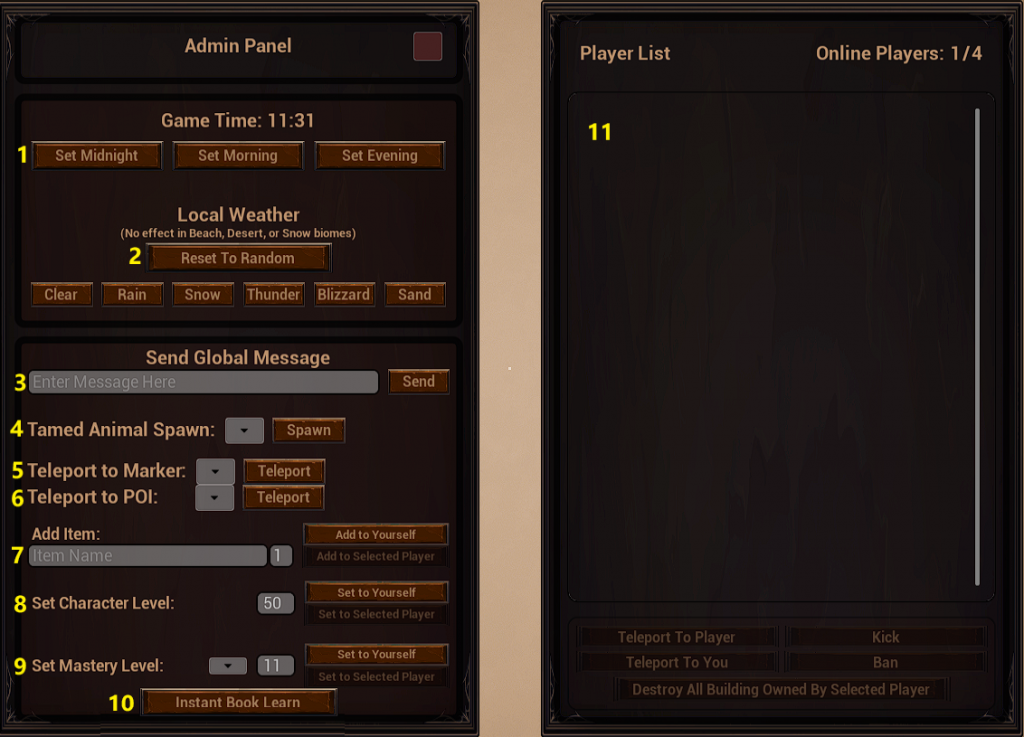
1- Set Game time
- Set Midnight– Sets the game to an instant Horde Night.
- Set Morning– Sets the game to just after a Horde Night at 8AM.
- Set Evening– Sets the game to 8PM with 3:19 minute warning to Horde Night
Warning- Altering Game Time may result in a few Undead turning up during the Day to attack!
2- Set Local Weather
Sets the game to any of the 5 weather settings. Note that the Sandstorm can not be cleared in the Desert Island.
3- Set Global Message
This just sends a chat message that all online players can see in the middle of their screens.
4- Spawn Tamed animal
Update v0.6.3 modified the Spawn in a Tamed animals option.
- Horse- Level 1 random Horse equipped with a Saddle.
- Sheep- random sex.
- Cow- random sex.
- Chicken- random sex.
- Pig- random sex.
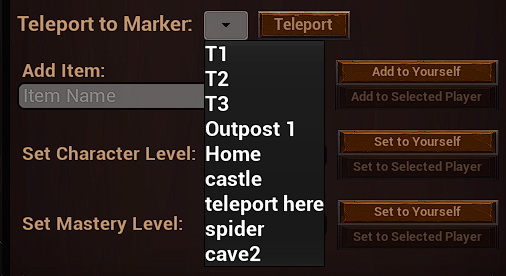
5- Teleport to Marker
How to set up Teleport Points
- Set and name the Marker.
- F1 and teleport to it.
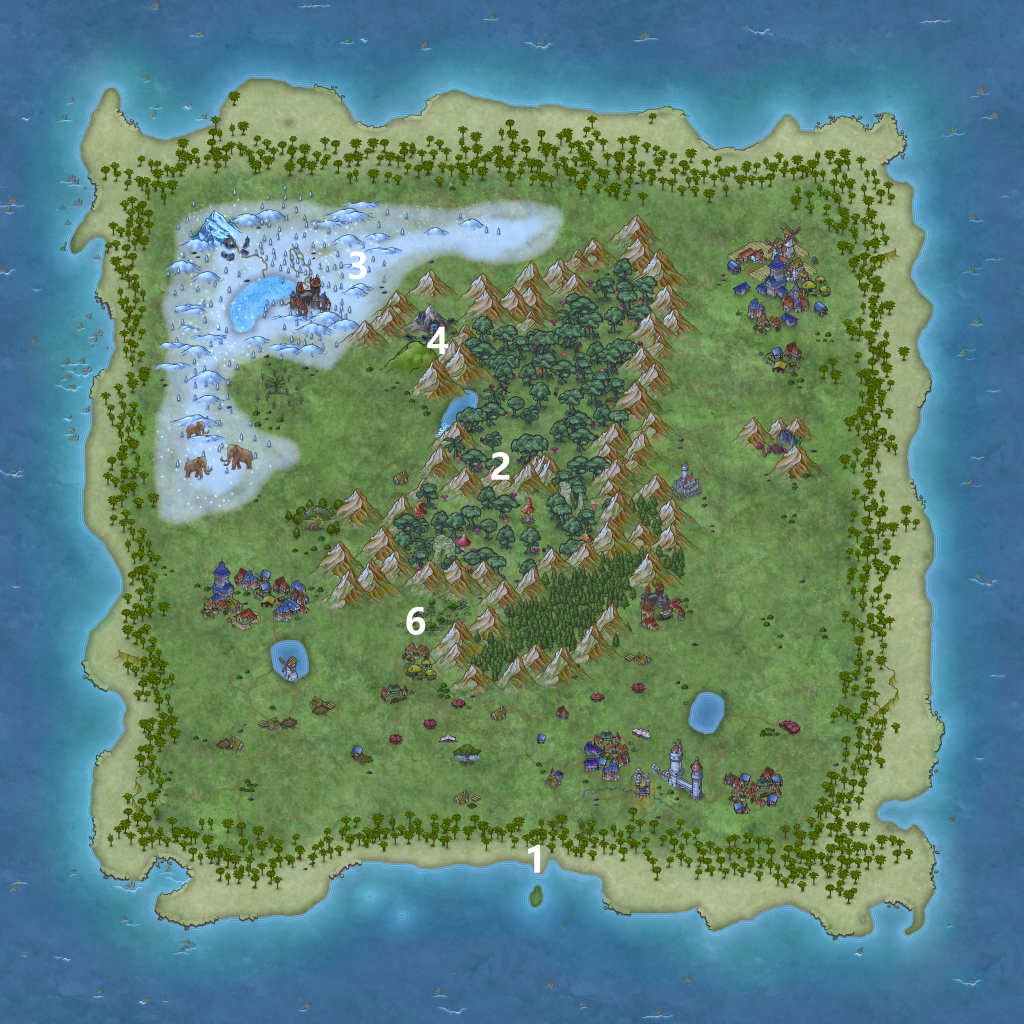
6- teleport to POI
Update v0.6.3 added teleport to POI option to Admin panel.
- Beach.
- Centre.
- Snow.
- Spider Cave.
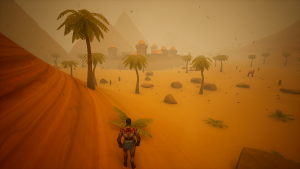
- Desert (Spoiler- not on Map)!
- Swamp.
7- Add item
Type in the “in game” name of an item to spawn in on yourself or another online player in 1-99 quantity. IE: spike then click the button . The name is not case sensitive. Update v0.6.0 added Mastery Books which are random in type (skill) when spawned in.
8- set character level
This sets the character level to the level typed in. Its an “increase to” rather than a “set to” so lowering the level is not possible.
9- set mastery level
This sets any of the selected skills found in the Mastery Tab from 1-11 (max) and lowering back down is not possible.
10- Instant Book Learn
The Scroll or Book that is currently being “read” will instantly complete giving the appropriate skill.
11- Player List
This is where all the usual Admin functions are to be used on your hosted Server.